
 Global Search
for METRC
A free Chrome extension by Good Feels
Find the record.
Skip the tab hunt.
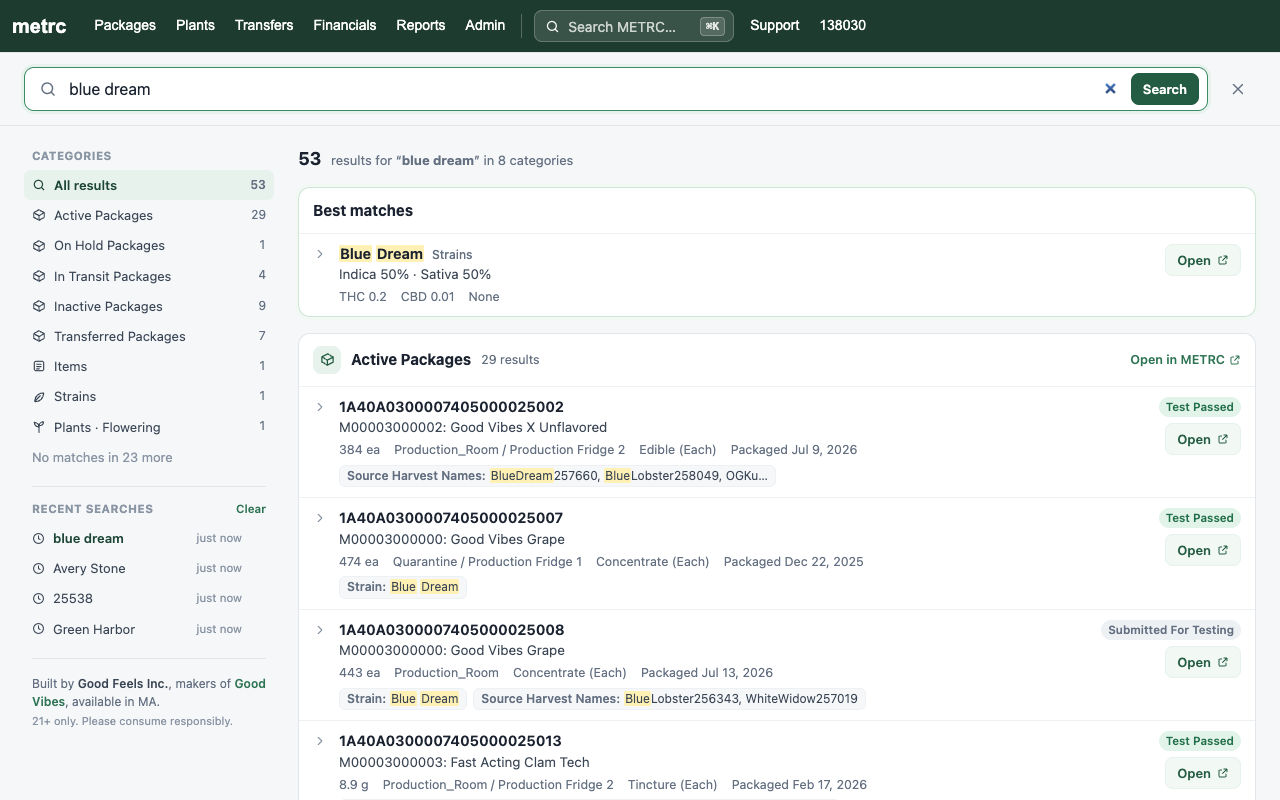
One search box for your METRC workspace. Find packages, transfers, items, tags, and more—then jump straight to the matching record.
Less hunting. More finding.
One query. The records behind it.
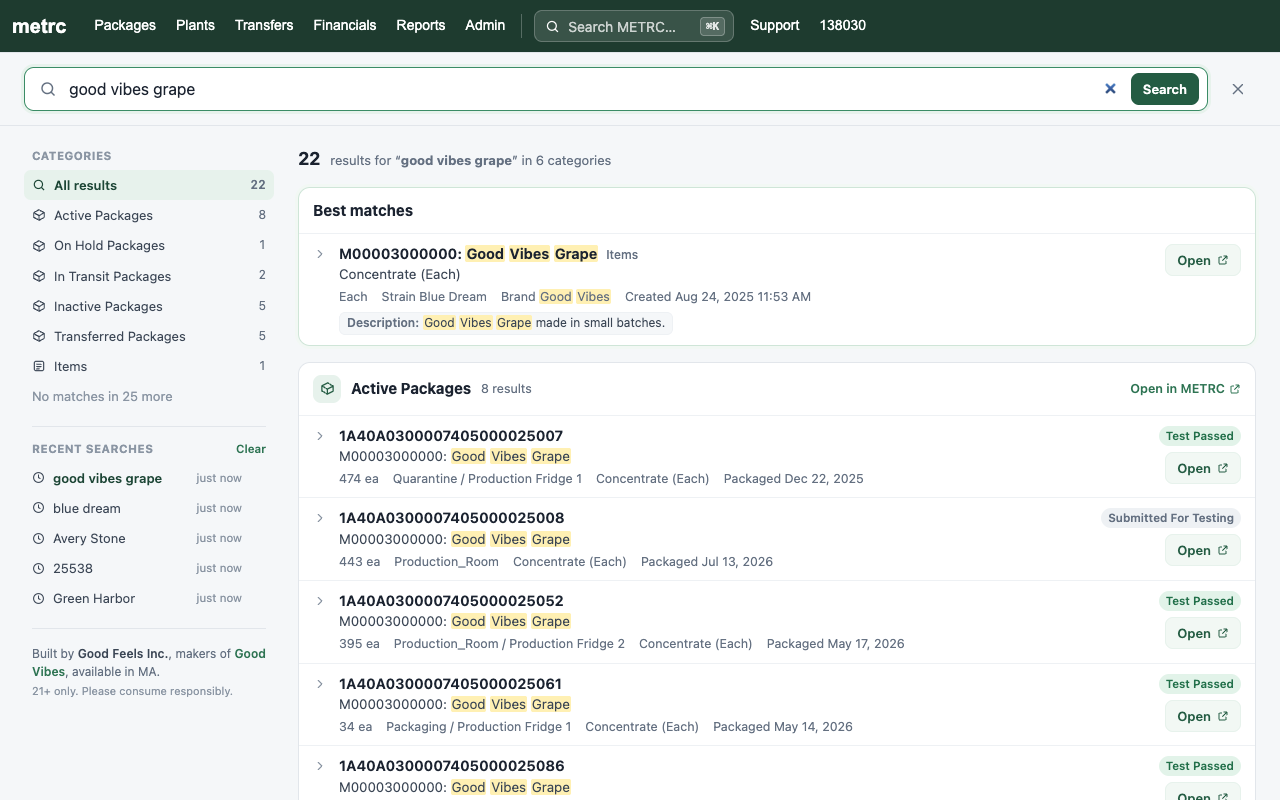
Search the records your METRC account can already access. Results are grouped by category, with the best matches at the top and the matching fields called out.
Start with what you know.
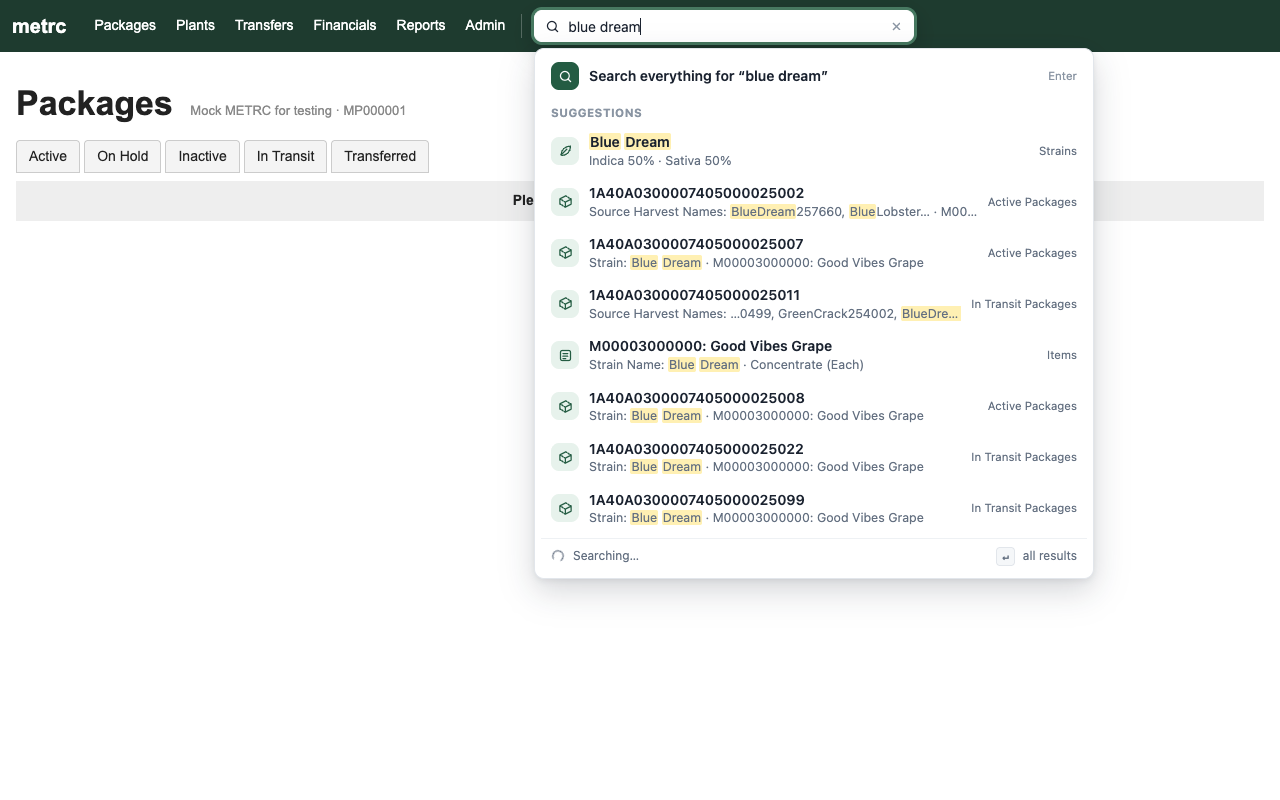
A tag suffix. An item name. A manifest number. Search across packages, transfers, strains, tags, locations, and the other pages available to your license.
Type it your way.
“grape good” finds “Good Vibes Grape.” Every word must appear somewhere in the record, and highlighted fields show why each result matched.
Open the right place.
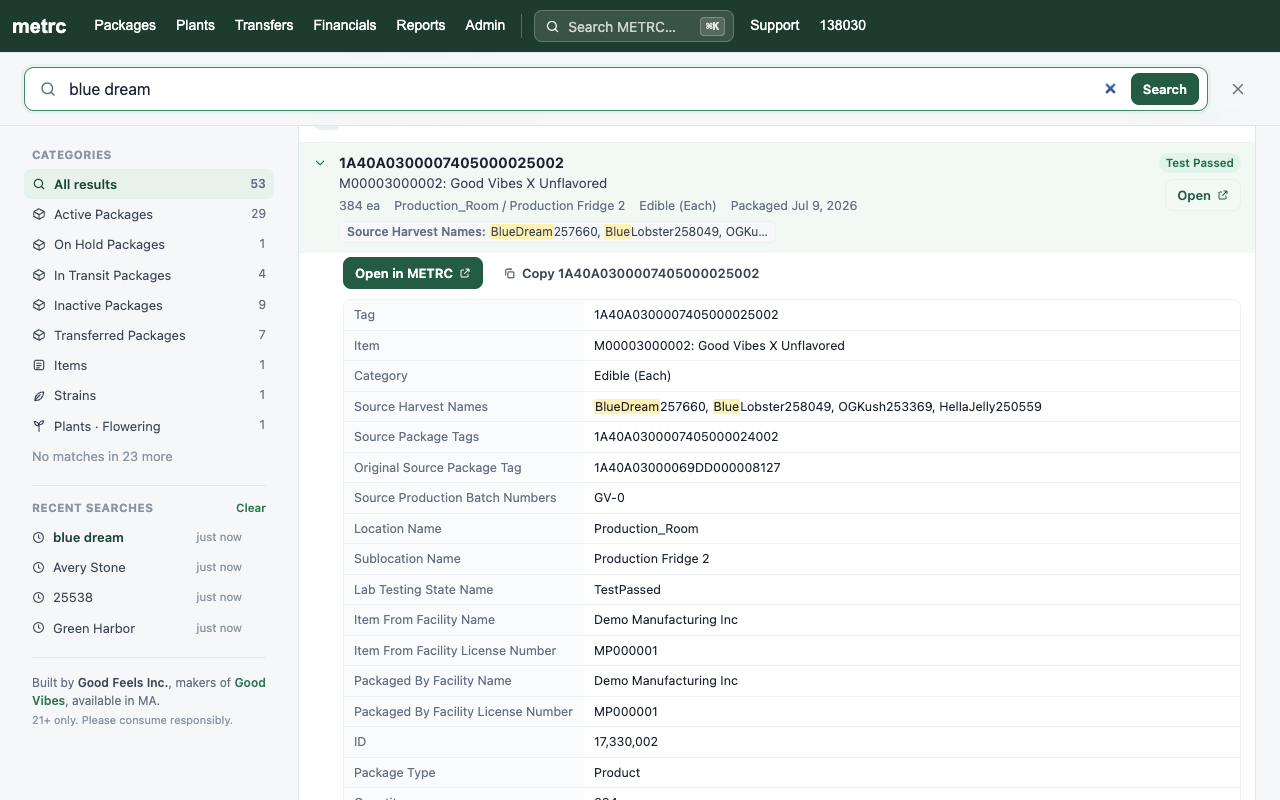
Expand a result to see its fields, copy a value, or open it in METRC with the right tab selected and its grid filtered to that record.
A closer look
From a few letters to the full picture.
These screenshots use synthetic records, never a business’s live data. Select an image to view it at full size.
Built for your existing workflow
Your METRC login. One new search box.
You’ll need desktop Google Chrome and an existing METRC account issued to a licensed business. Available records depend on your facility, license, and permissions.
- Install in ChromeOpen the Chrome Web Store listing, select Add to Chrome, and open your state’s METRC site.
- Open searchSign in to METRC as usual. Use the search box in the top bar, press ⌘K / Ctrl+K, or press / on a METRC page.
- Find and openType a name, tag suffix, or another detail. Press Enter for full results, then open a match in METRC. Confirm critical details in METRC before taking operational action.
Private by design
Your records stay between your browser and METRC.
The extension uses the METRC session you already have. There’s no separate extension account, API key, or server operated by Good Feels.
Read the extension privacy policy- Extension requests go only to the METRC site you’re using. No record data is sent to Good Feels.
- Search history stays in your browser and can be cleared from the results page. Search results are never saved.
- Search text stays out of browsing-history URLs. Result links use short-lived, random tokens.
- The extension has no analytics, tracking, ads, or remotely loaded code.
A few things to know.
Does this replace METRC or give me a METRC account?
No. It adds search to the METRC account you already use. It does not issue accounts or expand your existing access.
Which states and records does it support?
It runs on METRC’s state sites at *.metrc.com. The categories you can search depend on the pages and records available to your facility and license type.
How much does it cost?
Global Search for METRC is free and available now in the Chrome Web Store.
Is this an official Metrc product?
No. It is built by Good Feels Inc. and is not affiliated with, endorsed by, or sponsored by Metrc LLC. METRC is a trademark of Metrc LLC.